Native macOS & iOS · Free & Open Source · GPL-3.0
Browse Your AI Agent's Memory
The native Mac & iPhone app for reading Claude Code, OpenClaw, Codex, Cursor, Gemini, and more AI agent memory files — beautifully rendered, instantly searchable.
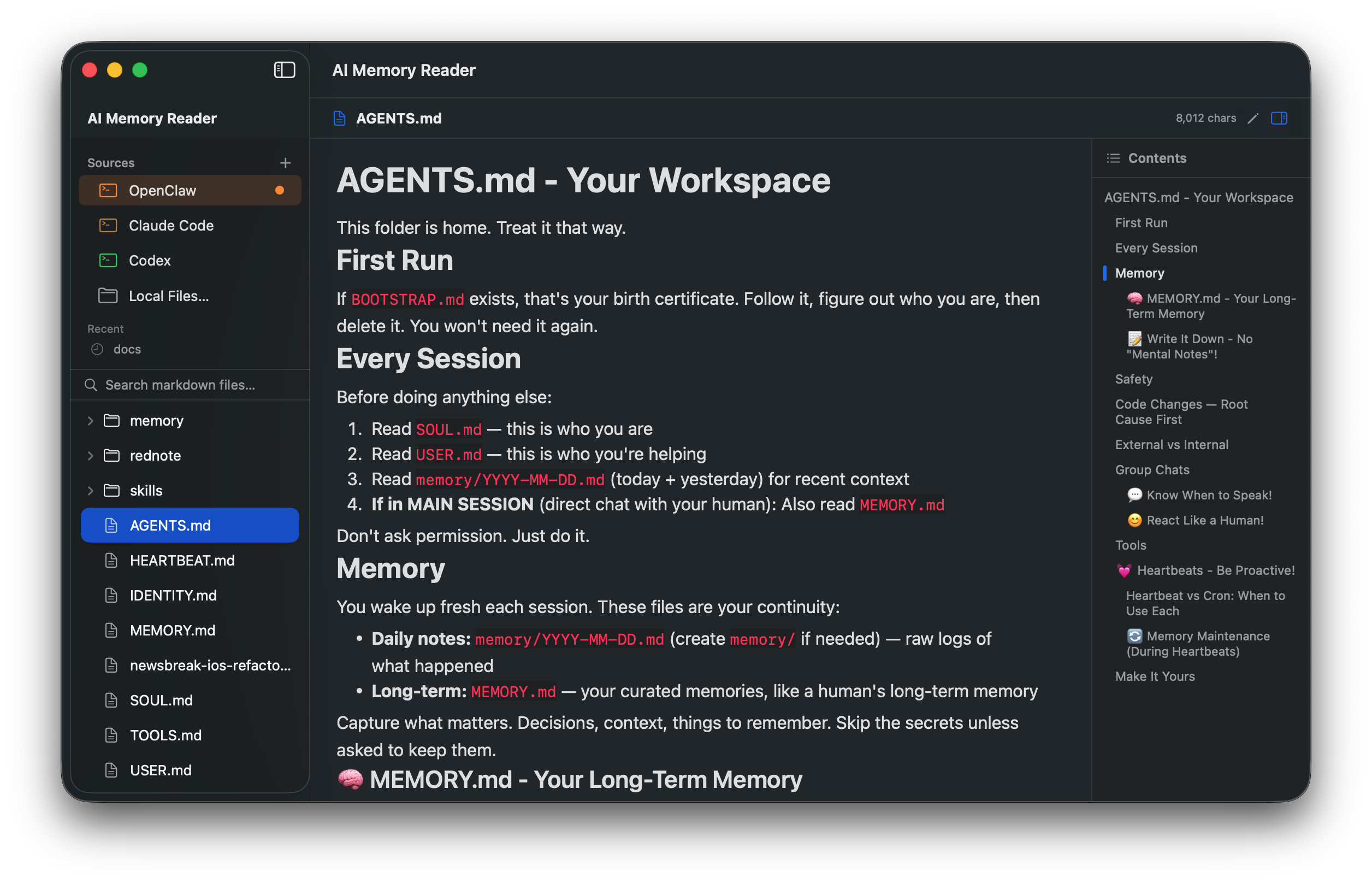
The native Mac & iPhone app for reading Claude Code, OpenClaw, Codex, Cursor, Gemini, and more AI agent memory files — beautifully rendered, instantly searchable.
Drop the app in your Applications folder. It finds your existing memory directories automatically — no config, no setup.
~/.claude)
Project-level CLAUDE.md
OpenClaw
Codex
Cursor
Gemini
Continue
Aider
GitHub Copilot
GitHub-style markdown with code blocks, tables, lists. Powered by MarkdownUI.
⌘F with character-level highlighting. Search all files in the sidebar.
⌘E toggles inline editing with syntax highlighting and auto-save.
Expandable file tree on the left, click-to-jump TOC on the right.
URL scheme aimemoryreader:// and CLI aimr let agents jump to any heading.
Read-only iPhone version with native navigation and Files-app integration.
Universal binary (Apple Silicon + Intel). No Xcode required.
# 1. Download
curl -L -o aimr.zip https://github.com/nvwalj/ai-memory-reader/releases/latest/download/AIMemoryReader.zip
unzip aimr.zip -d /Applications/

# 2. Strip Gatekeeper quarantine (or right-click → Open)
xattr -dr com.apple.quarantine "/Applications/AI Memory Reader.app"

# 3. Launch
open "/Applications/AI Memory Reader.app"If you spend a lot of time in Claude Code, you know ~/.claude/CLAUDE.md and per-project CLAUDE.md files become your "second brain." Opening them in TextEdit feels wrong. AI Memory Reader treats them with the care they deserve:
memory/YYYY-MM-DD.mdaimemoryreader://open?path=...&heading=...xattr -dr com.apple.quarantine "/Applications/AI Memory Reader.app" once.CLAUDE.md shared via iCloud Drive — AI Memory Reader renders it. Useful for reviewing your project notes on the go.AI Memory Reader is free and open source. If it saves you time, every coffee directly funds new features — Claude Desktop support, cloud sync, custom themes, and notarization are next on the roadmap.
Any amount helps — Ko-fi takes 0% on tips (only Stripe's processing fee). All donations are public on ko-fi.com/nvwalj.